Measure speed from the same recording
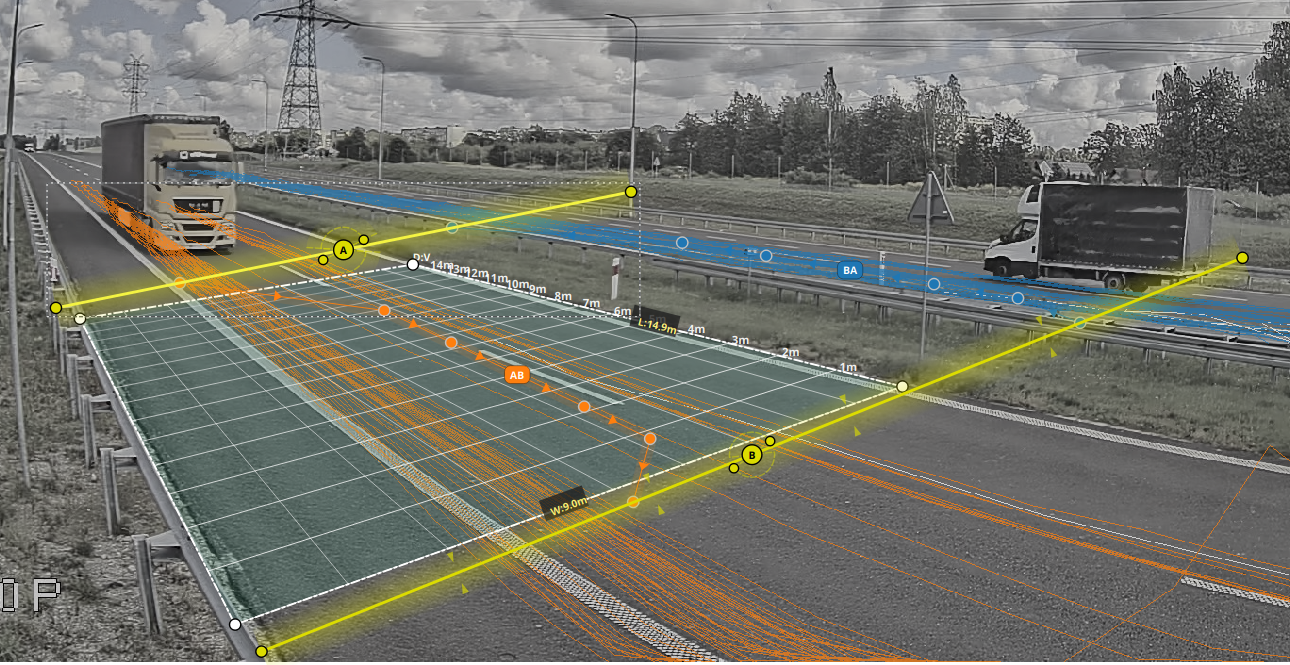
Add a measuring section and AITracker will link your speed result to each vehicle's category and record.
Set your distance without guessing
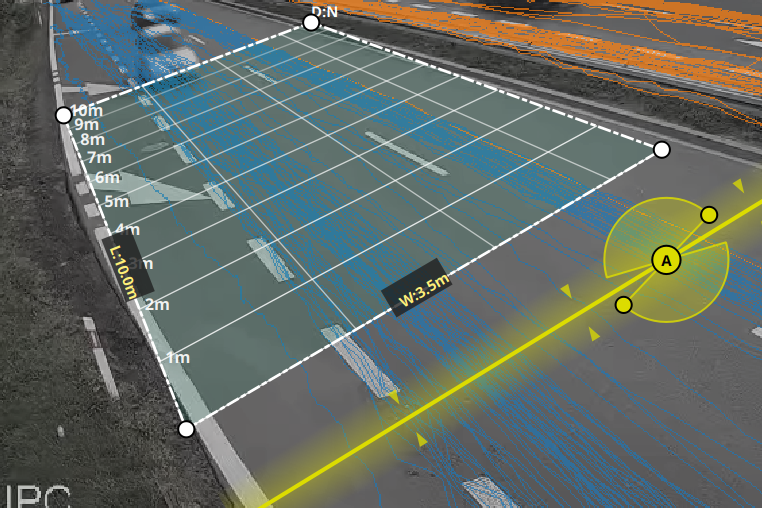
Select the four corners of the zone directly on the image and enter its actual width and length. AITracker will adjust the perspective and calculate the speed from the trajectory of each vehicle.
- 4 points — mark the measuring surface on the road
- Dimensions in meters — calibrate the scale of the scene
- One configuration — can handle several reports and episodes
Geocalibration with a map
Search for a measurement point on the satellite map, set the camera position and map the scene geometry. It will be easier for you to verify the actual distances and maintain a clear configuration of the entire measurement.
You can work with known road dimensions or check the distance on the map and then transfer it to the distance zone in the image.
See the setup step by step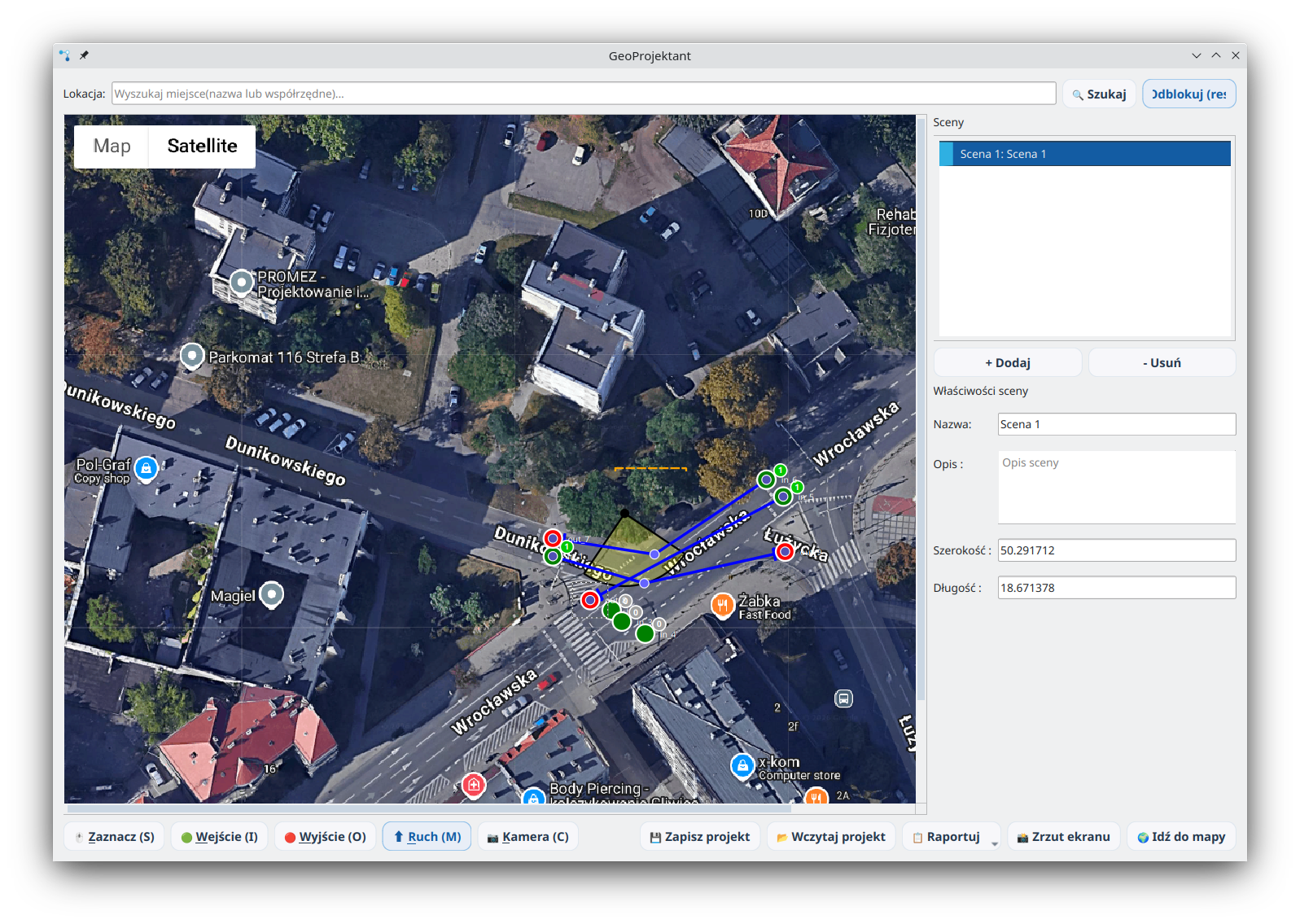
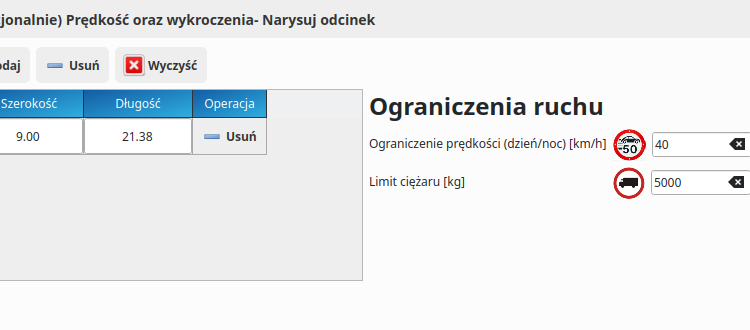
Exceeding the set limit
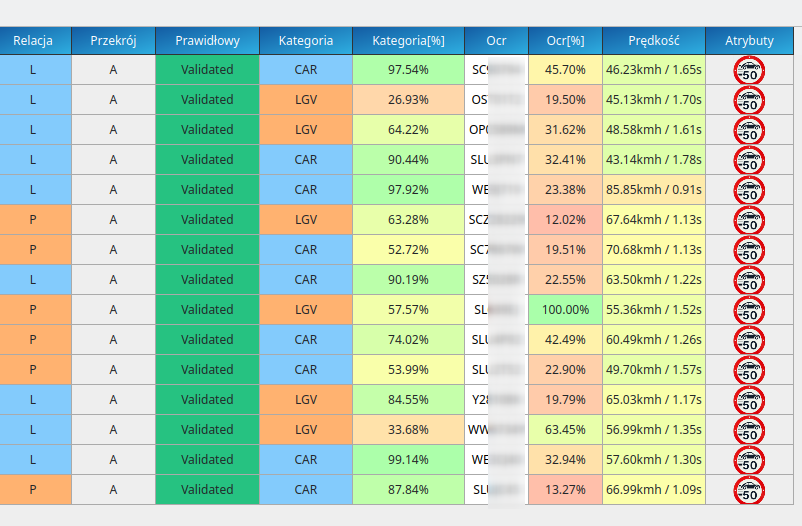
Set an analytical threshold and AITracker will flag records with a score above the selected limit.
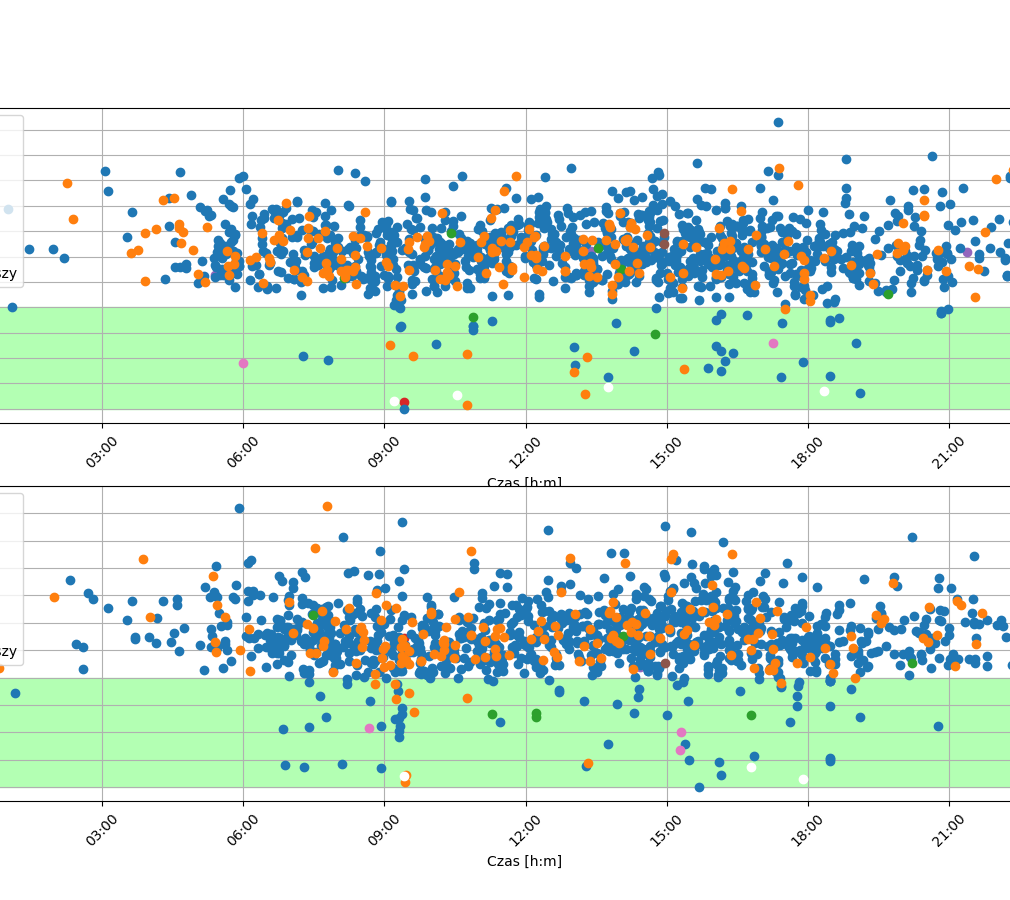
Vehicle by vehicle
Scatter plot, where each point is 1 vehicle. Speed data km/h vehicle by vehicle in a spreadsheet.
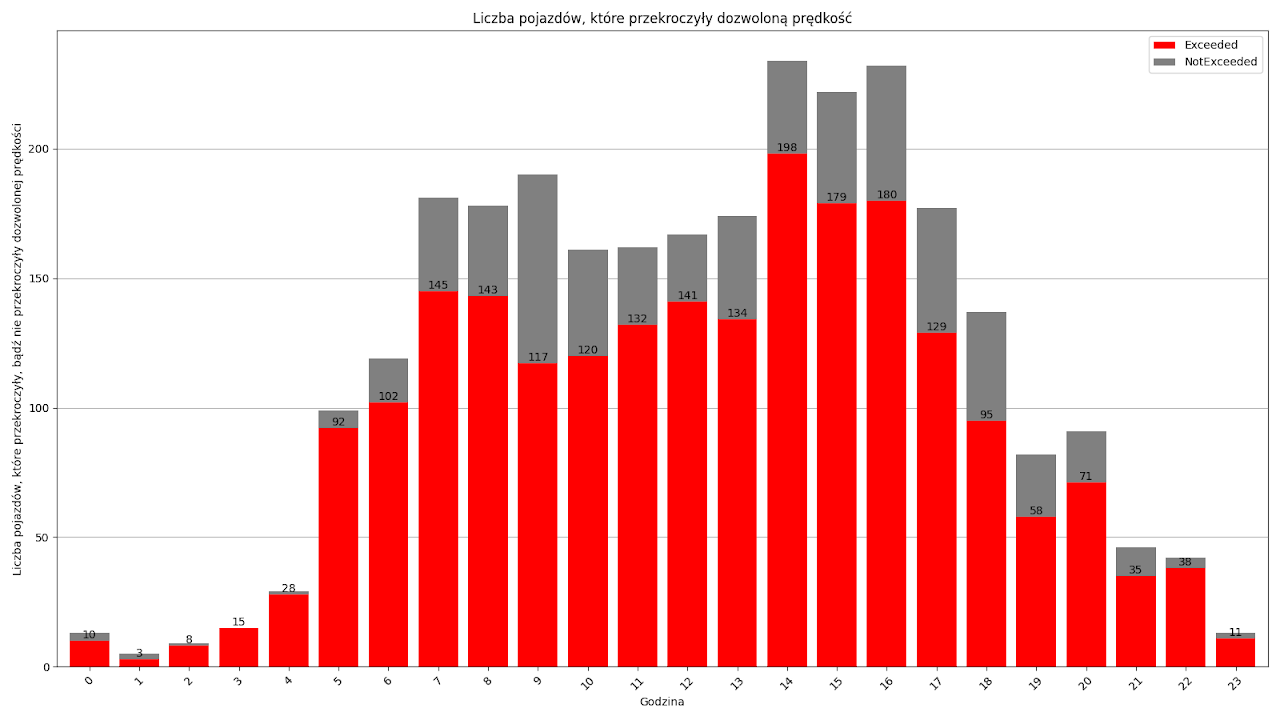
Share of exceedances
Find out how many vehicles exceed the speed limit in relation to the total daily traffic.
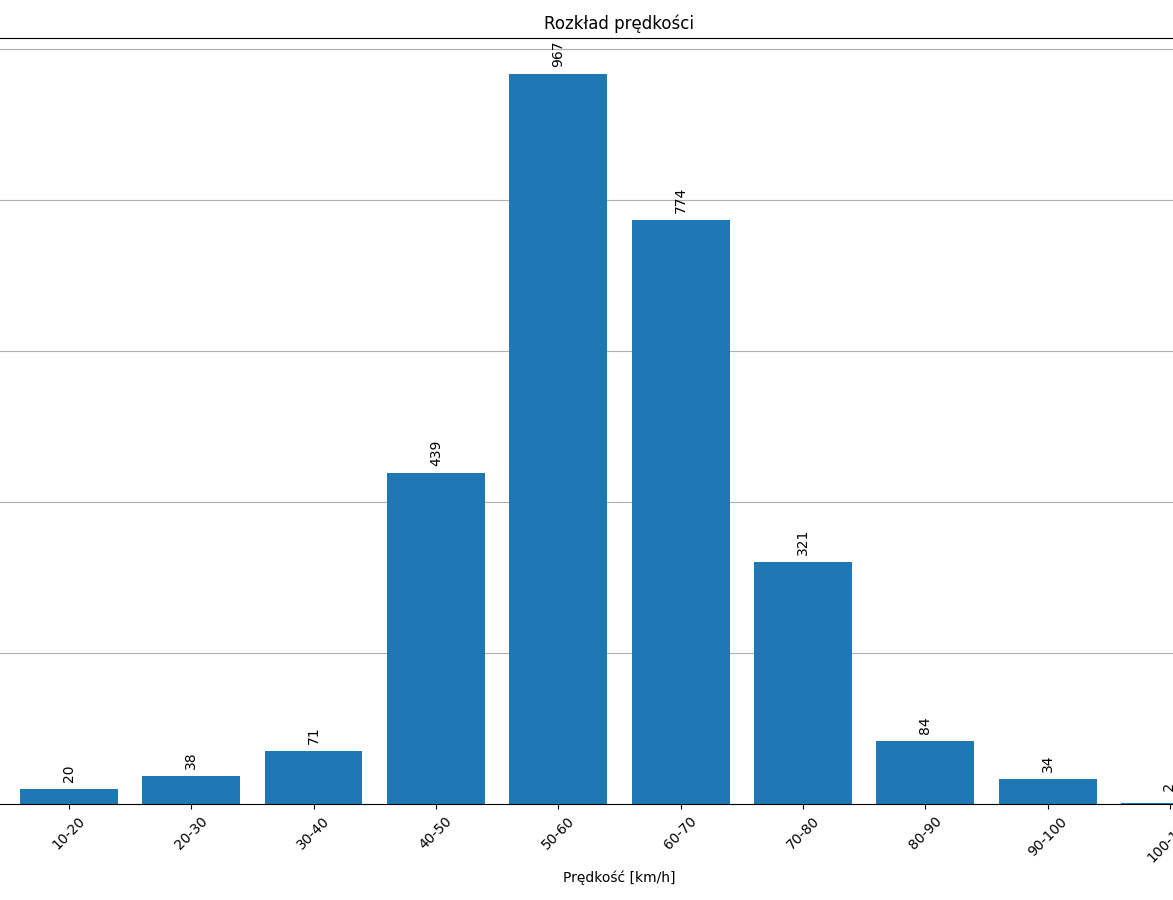
Distribution
AITracker will create full traffic statistics for you at the measurement point. You will find out how many cars fall into the 10 km/h range.
Speed is verifiable
Each result can be compared to its corresponding vehicle. In AISP tests, the accuracy for the 0-100 km/h range was 95%; the recommended operating range is 0–120 km/h, and above 120 km/h the accuracy decreases.
Reuse data once processed
You can configure the speed measurement before sending the video or generate it from already counted data, without re-processing the same directory.
Check this feature on your recording
Download AITracker or schedule a presentation to select the measurement configuration for the material and expected result.