
How to position your camera to get good footage
Height, angle, field of view and lighting affect the visibility of vehicles and the ability to verify results.
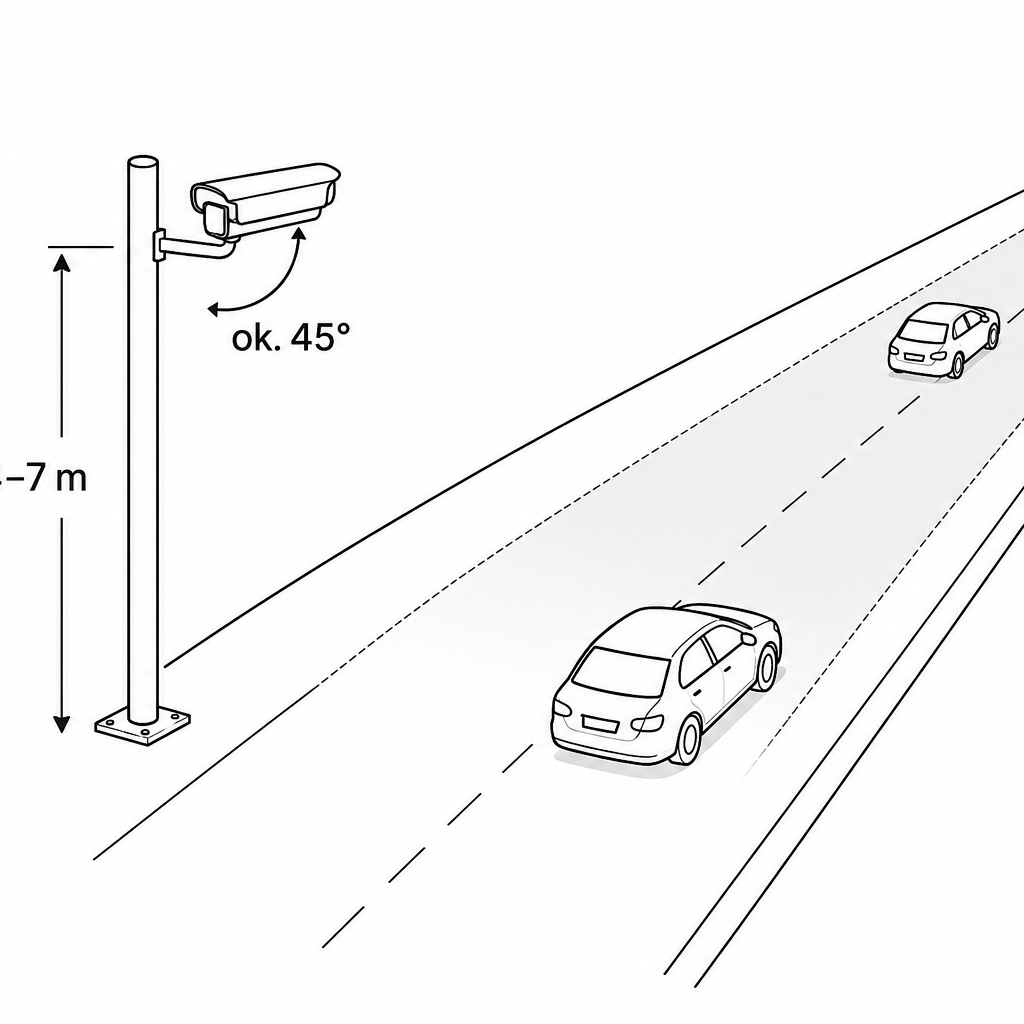
Cross-section
4m, 15°–25°, camera parallel to the road,
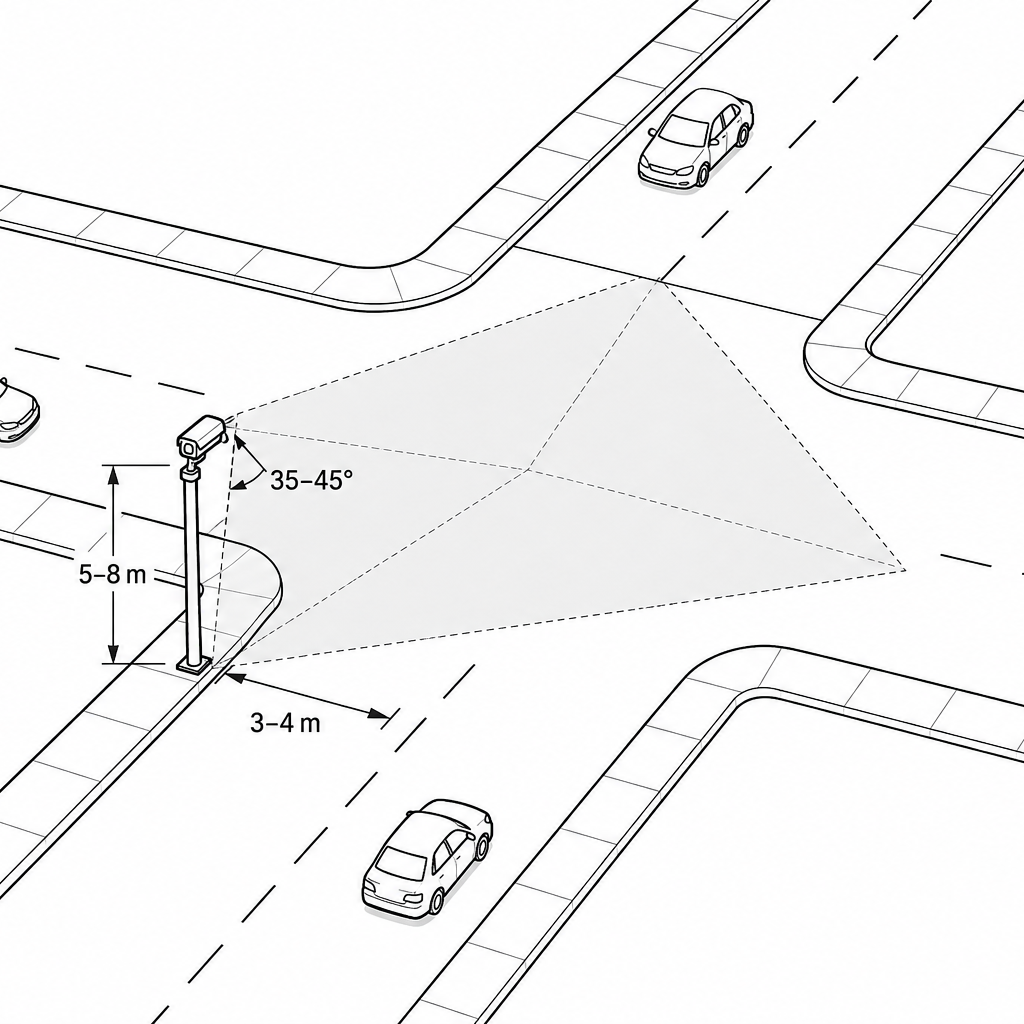
Crossroads
5-7m, 30°-45° camera right at the intersection
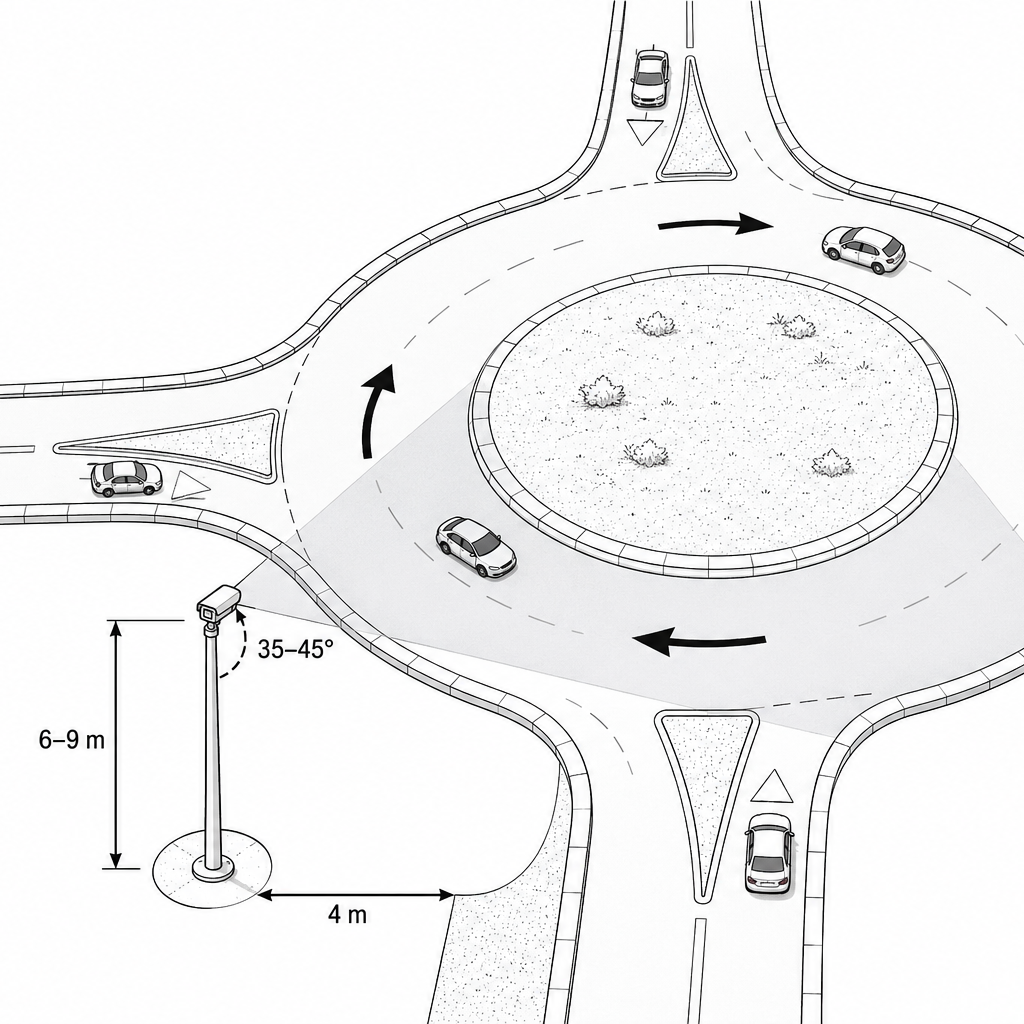
Roundabout
5-7m, 30°-45° camera right next to the roundabout
🎯 Camera mounting height
Minimum installation height 4 meters
Recommended height:
4–5 m for standard cross-sections and smaller intersections
6–7 m for large intersections and roundabouts with multiple lanes
📌 Why is it important?
Camera suspension too low → further lanes being covered by vehicles closer to the lens.
Such occlusions are difficult for AI to correct correctly.
Higher mounting reduces obstruction problems and increases the field of view.
📐 Pitch angle and field of view (FOV)
Cross-section of the road
Tilt: 15°–25°
Horizontal FOV: 60°–80°
Setting parallel to the road axis - optimal for reading license plates and side walls of vehicles.
Crossroads
Tilt: 30°–45° (can be increased to 45°–60° for large nodes)
Horizontal FOV: 90°–120°
The closer to the vertical (pitch → 90°, i.e. "bird's flight"), the better the visibility of the movement relationship and the fewer obstructions.
Roundabout
Tilt: 60°–90° (optimally vertical, pitch ≈ 90°)
Horizontal FOV: 100°–130°
Central installation above the roundabout (if possible) or several cameras at the inlets - each with its own angle.
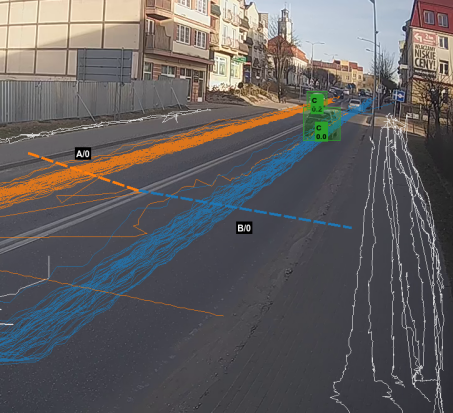
Correct camera frame for counting the road cross-section and ALPR
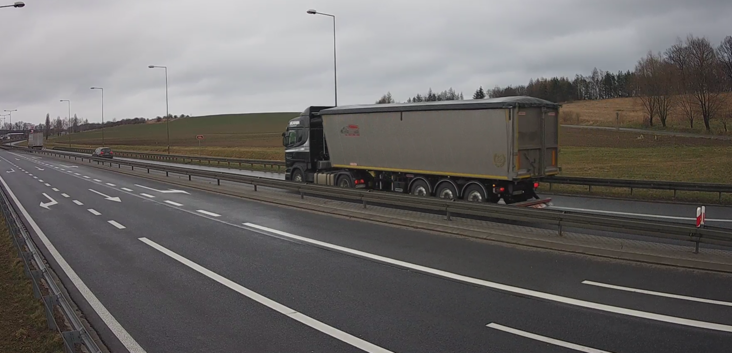
An example of a correct frame for a road cross-section.
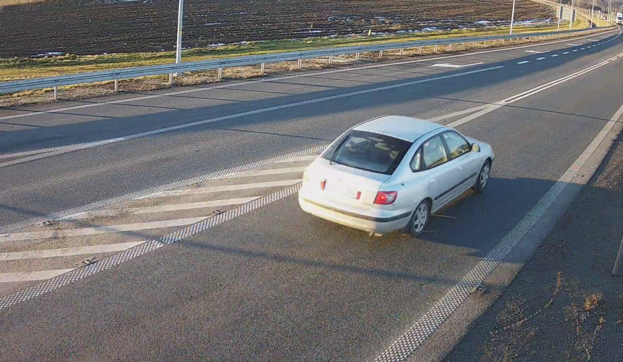
An example of a correct frame for a road cross-section.
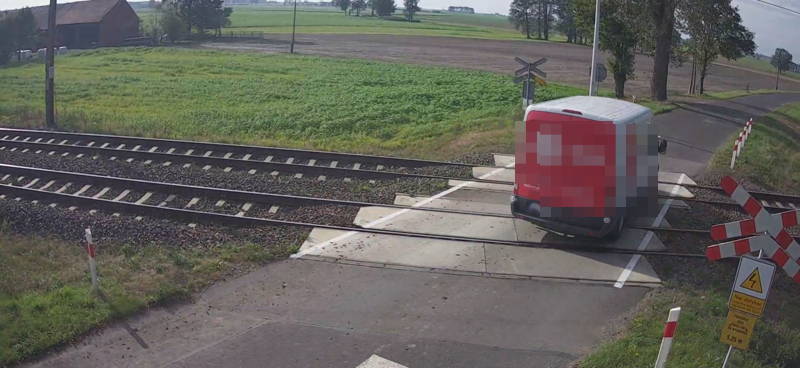
An example of a correct frame for a road cross-section.
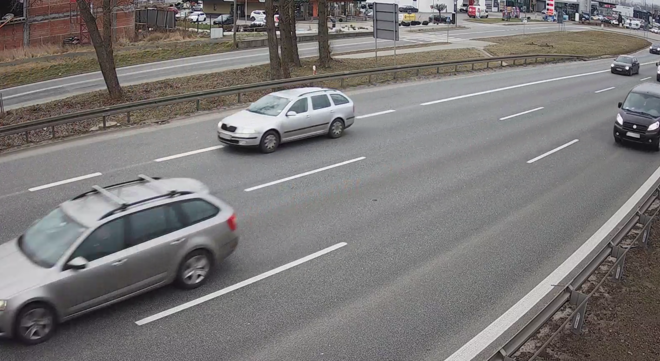
An example of a correct frame for a road cross-section.
🛣️ Assembly location
One-way road / cross-section
A pole on the road
Camera parallel to the road axis
Possibility of digital framing in AITracker when the camera is away from the road
Crossroads
Installation on a pole right at the intersection
Large intersections: 1 camera per inlet
Roundabout
Installation on a pole right next to the roundabout
Correct camera frame for counting an intersection or roundabout
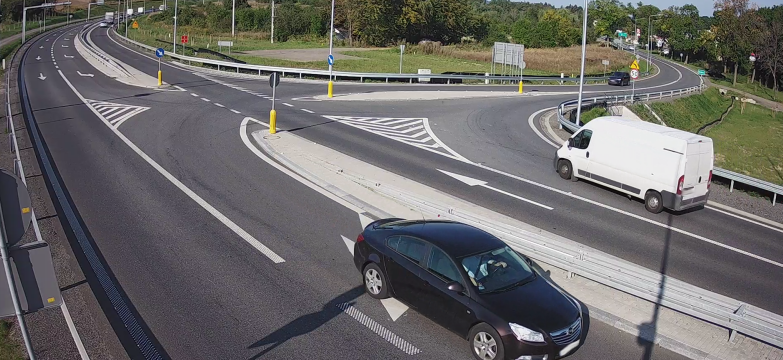
An example of a correct frame for an intersection.
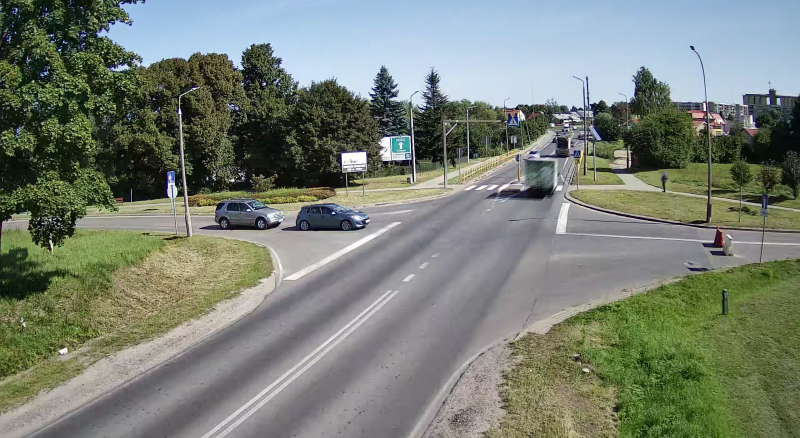
An example of a correct frame for an intersection.
Correct camera installation for sectional speed measurement
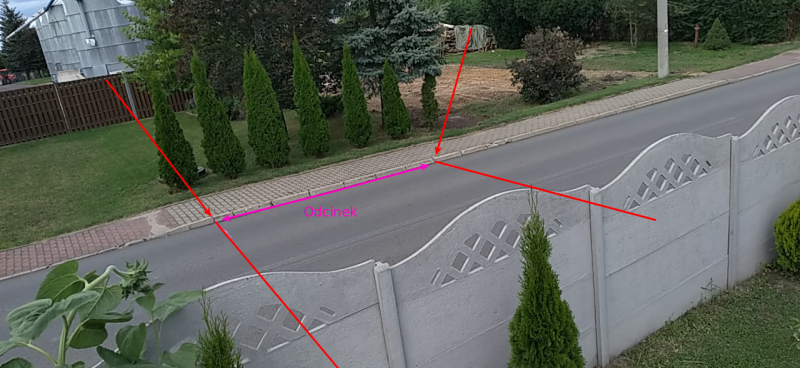
Correctly defined speed measurement section.
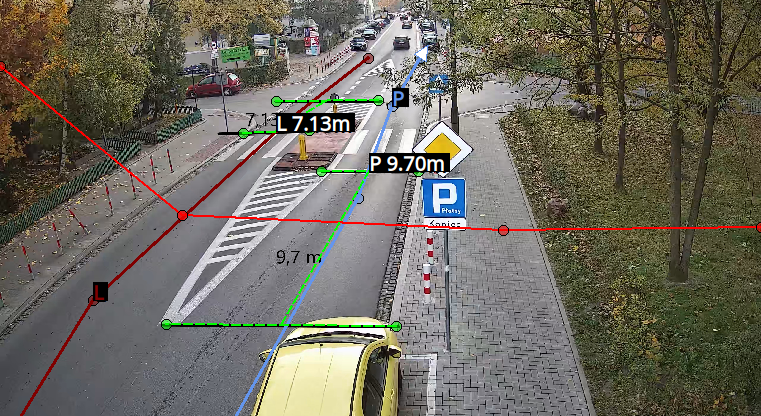
Correctly defined speed measurement section.
Correct camera installation for ALPR when measuring parking time
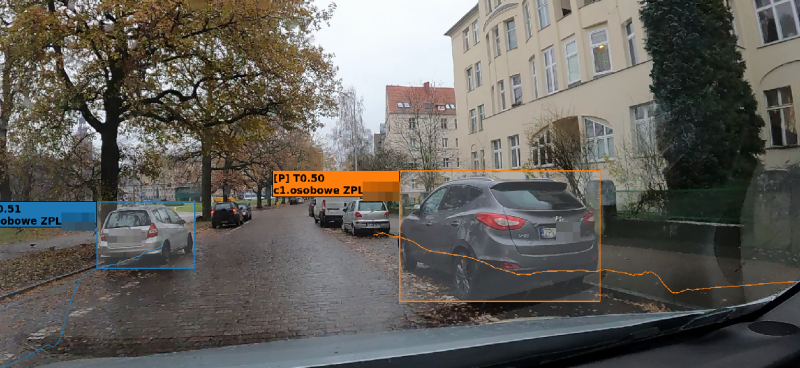
A camera mounted inside the vehicle recording parked cars while driving around.
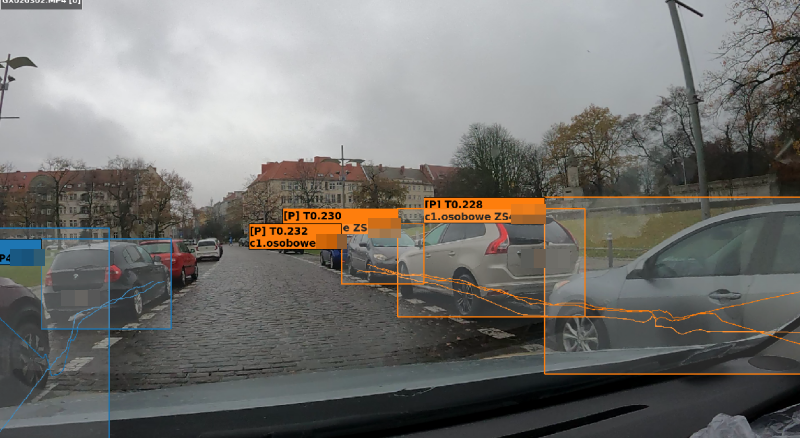
A camera mounted inside the vehicle recording parked cars while driving around.
Parking time measurement
Recording plates from a moving vehicle - what must the camera record?
A camera installed in the car can record parked vehicles while driving around. However, at night there are three difficulties: camera movement, little light and reflections and dirt on the windshield.
If the array number is not human-readable in any frame, the AI has no reliable data from which to reconstruct it. Blurred text should not be guessed.
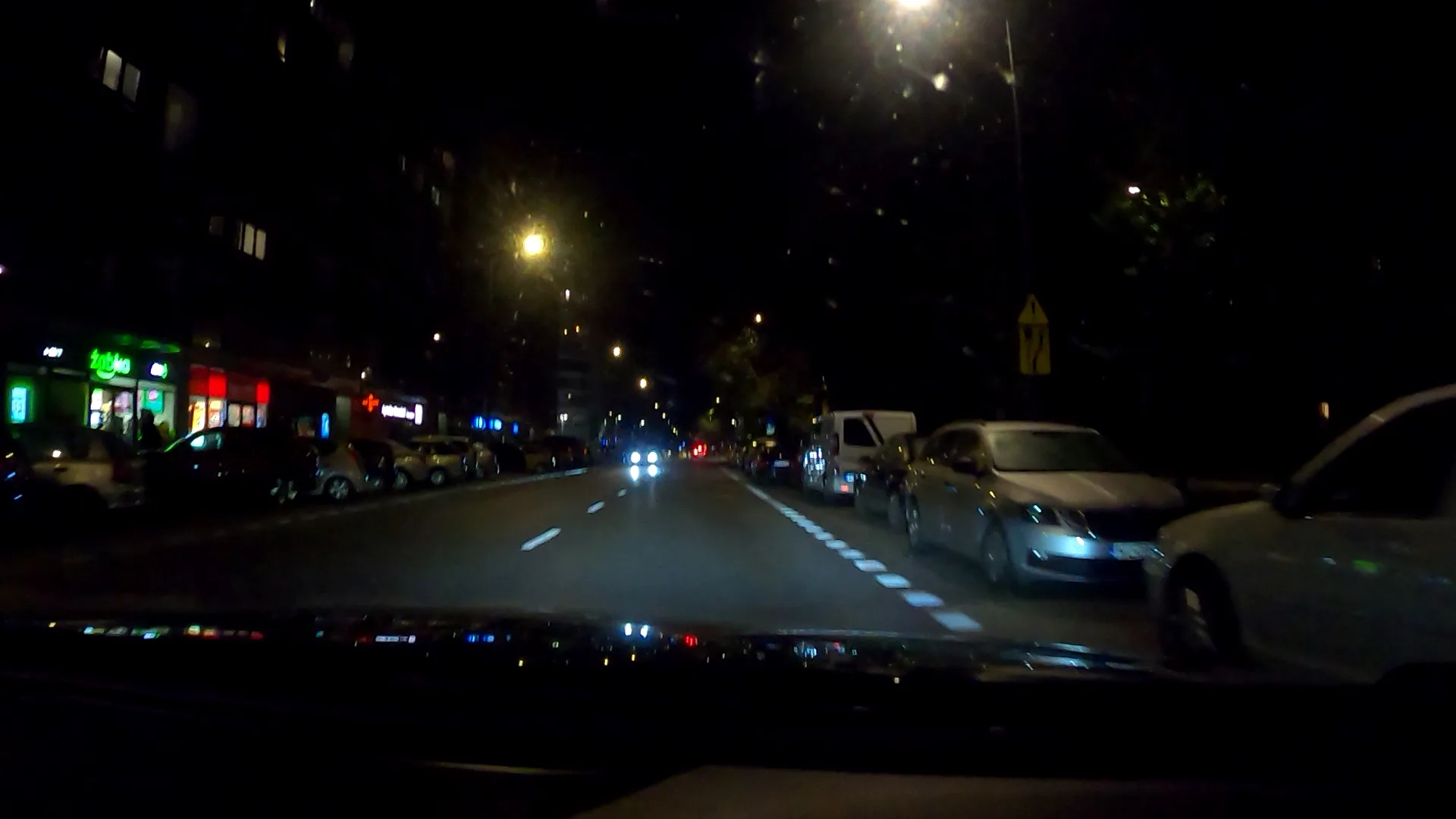
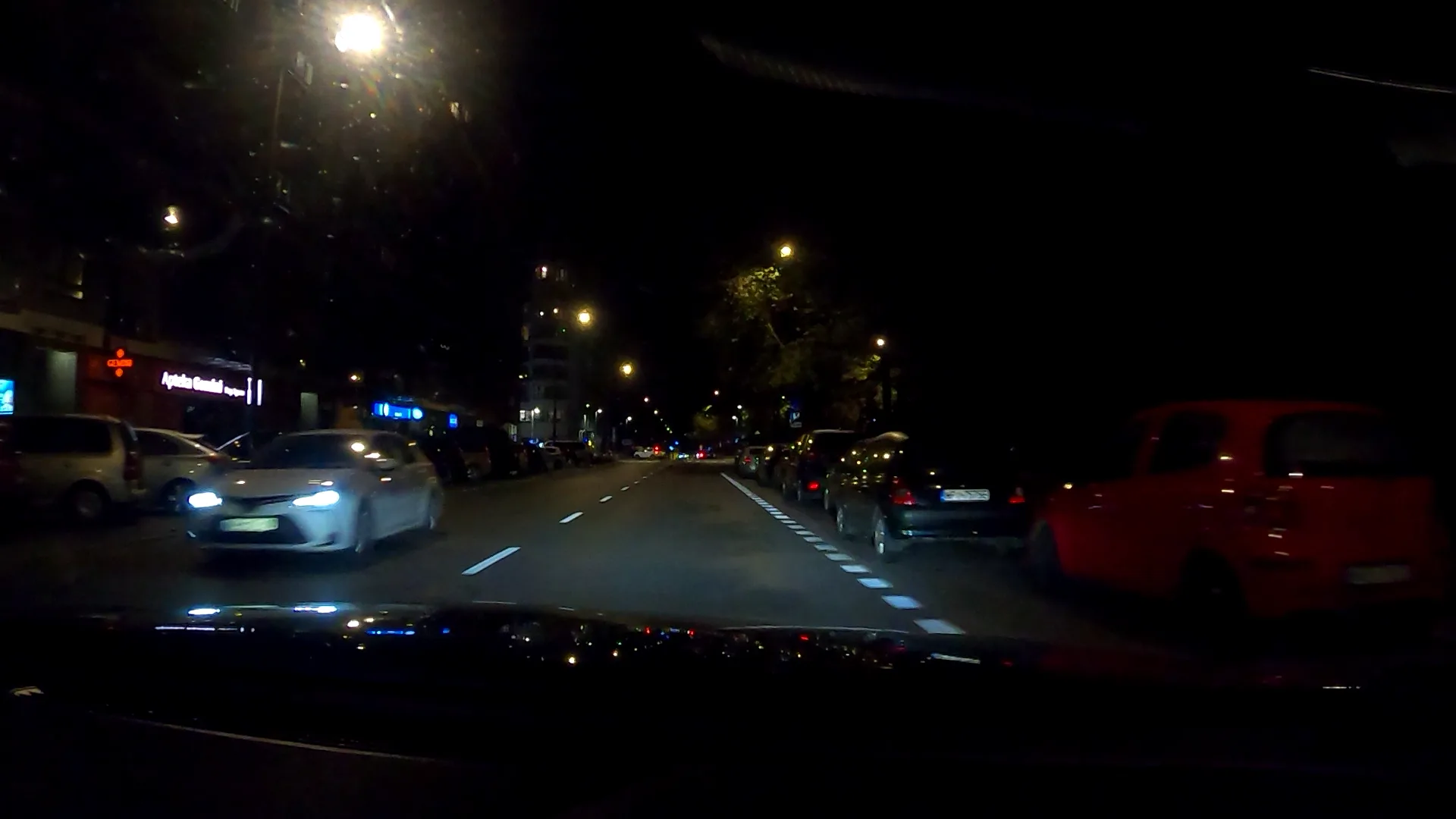
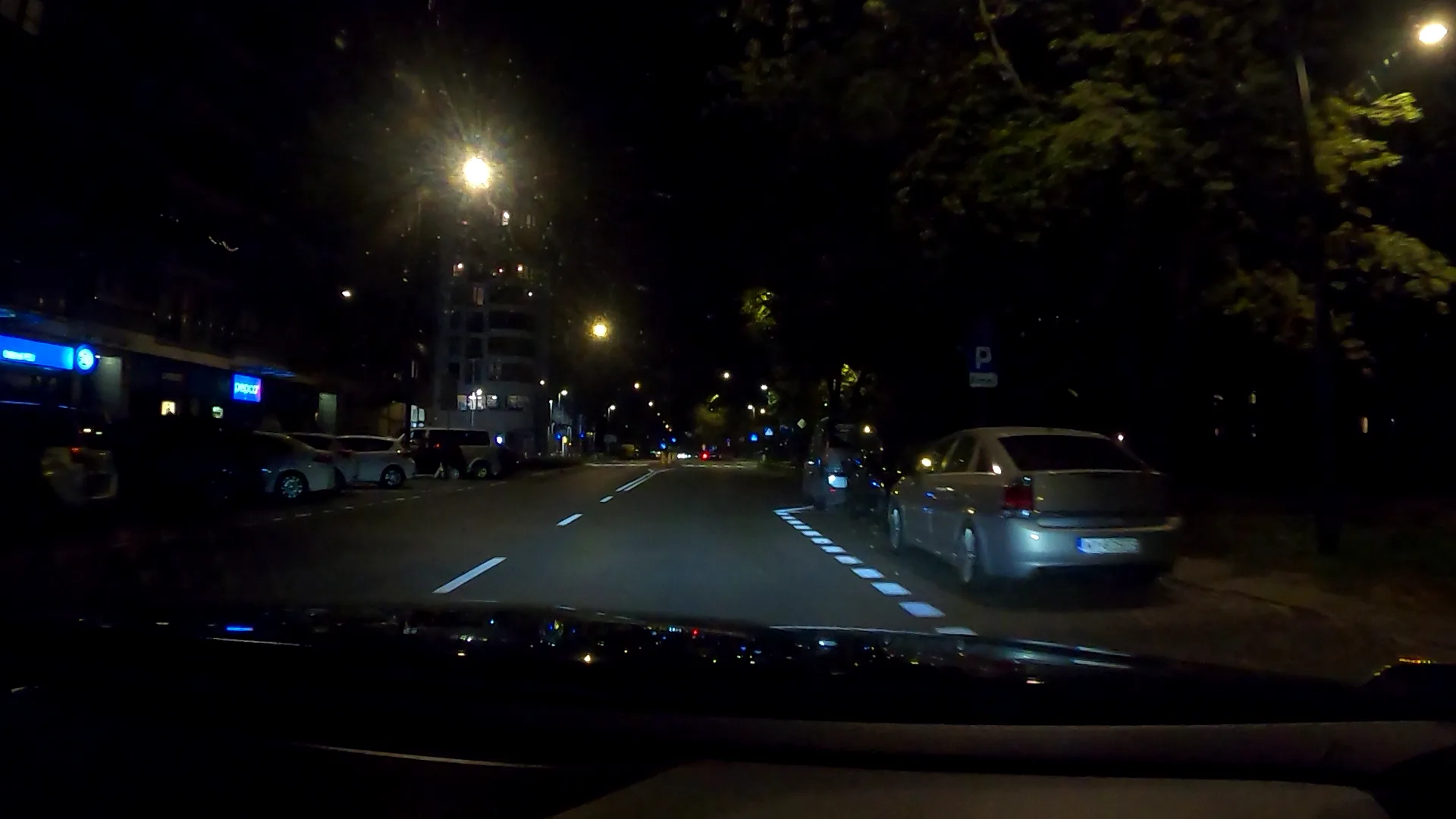
How to prepare a reliable night measurement?
- Stabilize the camera close to clean glass.Lock image orientation, remove dashboard reflections, and don't position the lens behind a tinted or highly reflective piece of glass.
- Reduce exposure time.It's the shutter speed, not the high FPS itself, that limits motion blur. A shorter exposure requires more light.
- Illuminate the boards from the outside.Place the IR illuminator close to the lens axis and point it at the reading area. The camera must support infrared; IR left inside may reflect off the glass.
- Narrow the frame and reduce the viewing angle.The board should occupy a sufficiently large part of the image and the camera should look at it as little obliquely as possible.
- Slow down the crossing.Slower speed reduces blur and increases the number of readable frames.
- Consider two cameras.The first one registers plates, the second one records entire vehicles and the surroundings. Materials can be related by time and location.
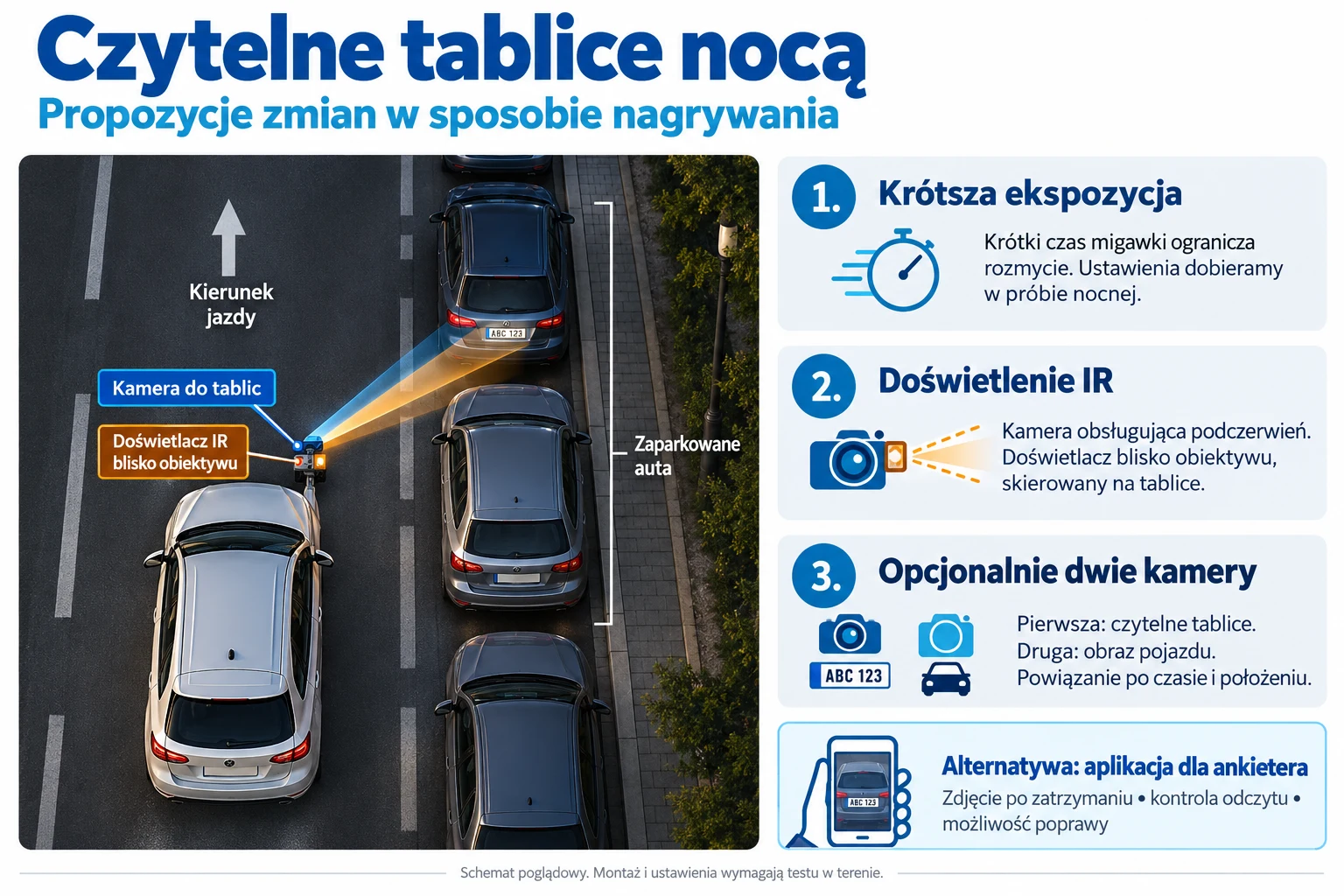
Illustrative diagram. The specific set and settings must be confirmed in a short overnight test before the actual measurement.
🌙 Night measurement and weather conditions
Use IR (infrared) cameras, especially in places without lighting.
Rain, fog and dirt on the lens can reduce the effectiveness of the analysis, even though the AI is also trained on such recordings.
⚠️ Typical assembly errors
Installation too low → covered by nearby vehicles.
Incomplete coverage of the entire intersection or roundabout → no counting of an inlet that is outside the image.
Tree in the middle of a roundabout → broken tracking trajectories.
Positioning the camera "straight ahead" instead of at an angle → additional obstructions.
Too narrow frame or insufficient resolution → AI may miss or incorrectly recognize objects.
How does night lighting affect correct measurement?
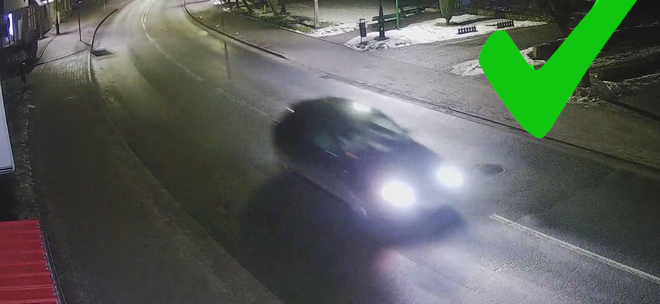
The visible silhouette of the vehicle ensures AI recognition.
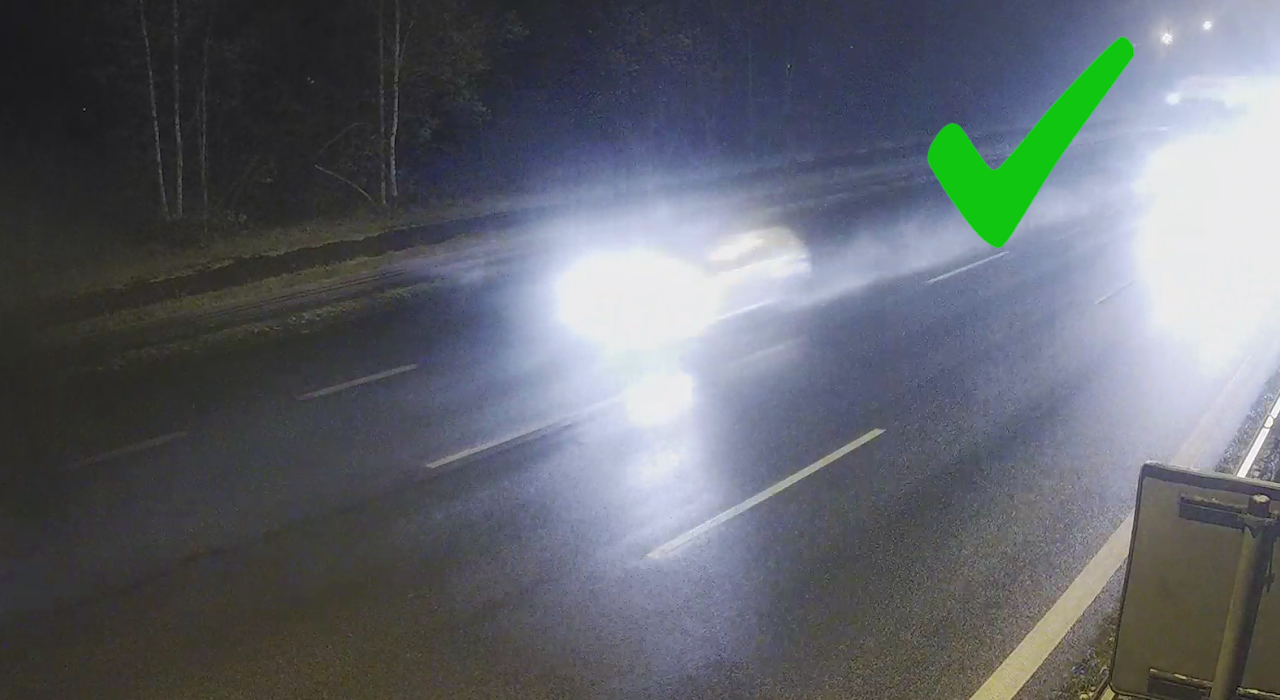
A partially visible vehicle silhouette is enough for AI.
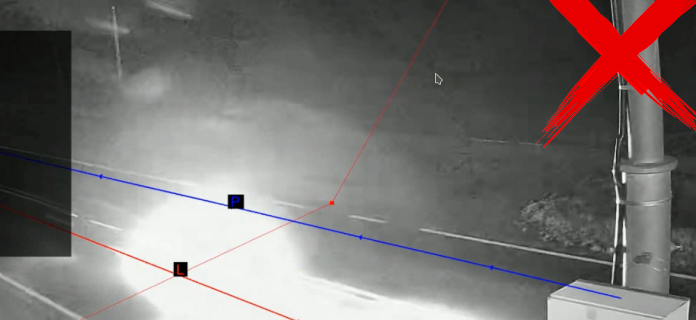
The vehicle as a ball of light will not be recognized!
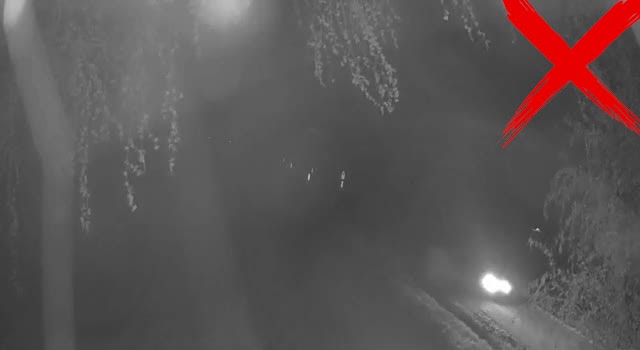
Only the lamps visible are not enough for the AI!
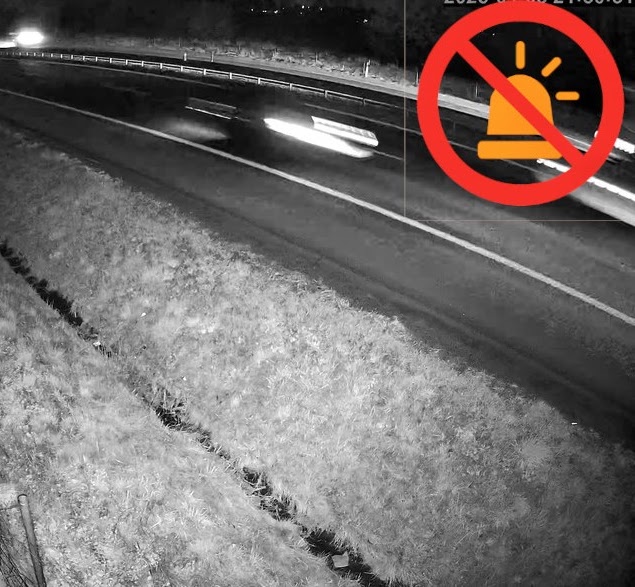
The staff is on the verge of recognition. High speed and high blur.
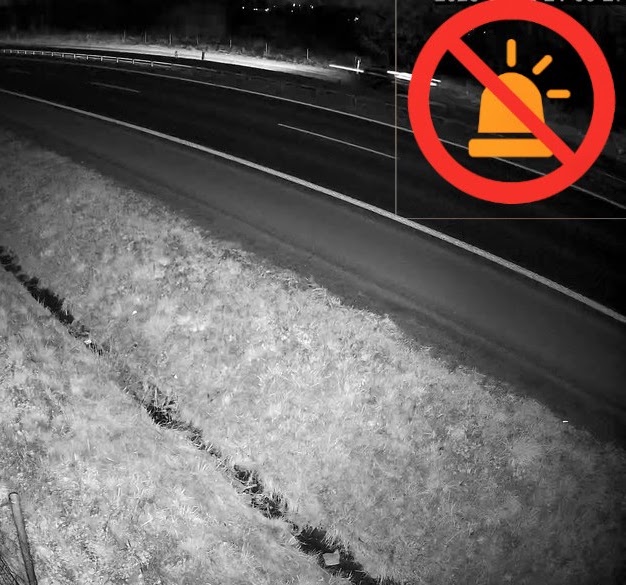
The staff is on the verge of recognition. High speed and high blur.
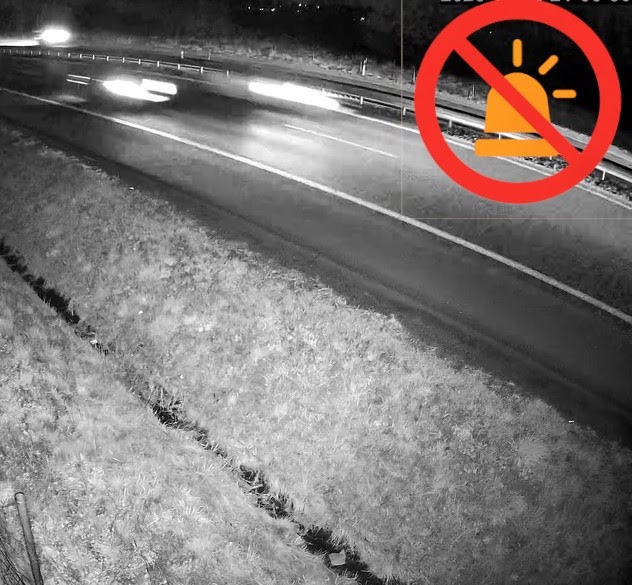
The staff is on the verge of recognition. High speed and high blur.
Go from knowledge to your own measurement
Download AITracker software that automatically recognizes vehicle categories and counts them from video recordings. A sample video demo with results built into the program will allow you to learn about the program for free.
See for yourself the quality of AITracker and test the program!
Test AITracker for free
For more details on camera installation, see the documentation https://wiki.aisp.pl/aitrackergui/pl/hardware/