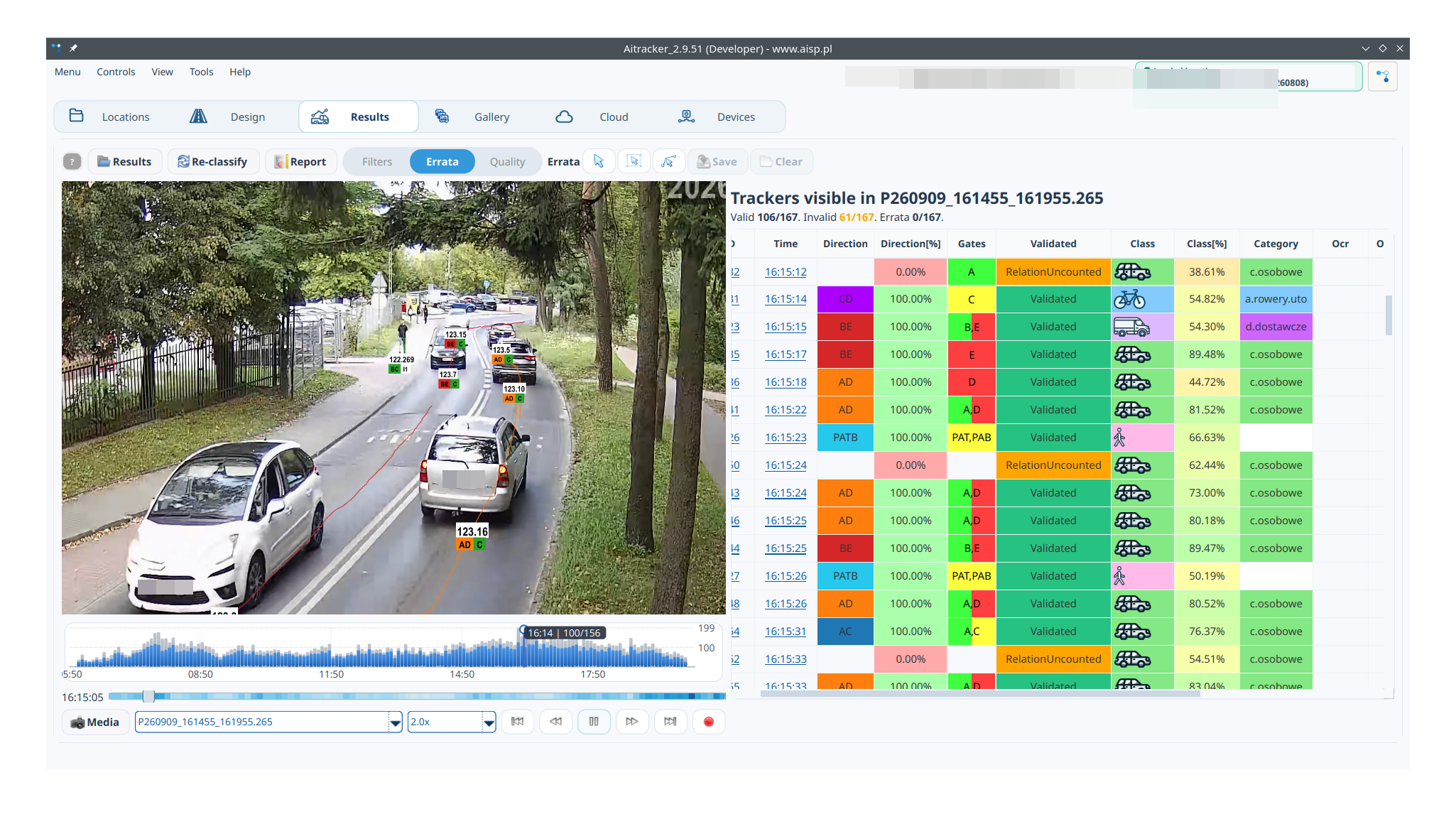
01
Multiple points in one view
Compare ALPR locations on a common map and select points that form a cordon or survey route.
The Traffic Designer connects vehicles between cordon points and prepares a sheet ready for further modeling.
Transit on the map
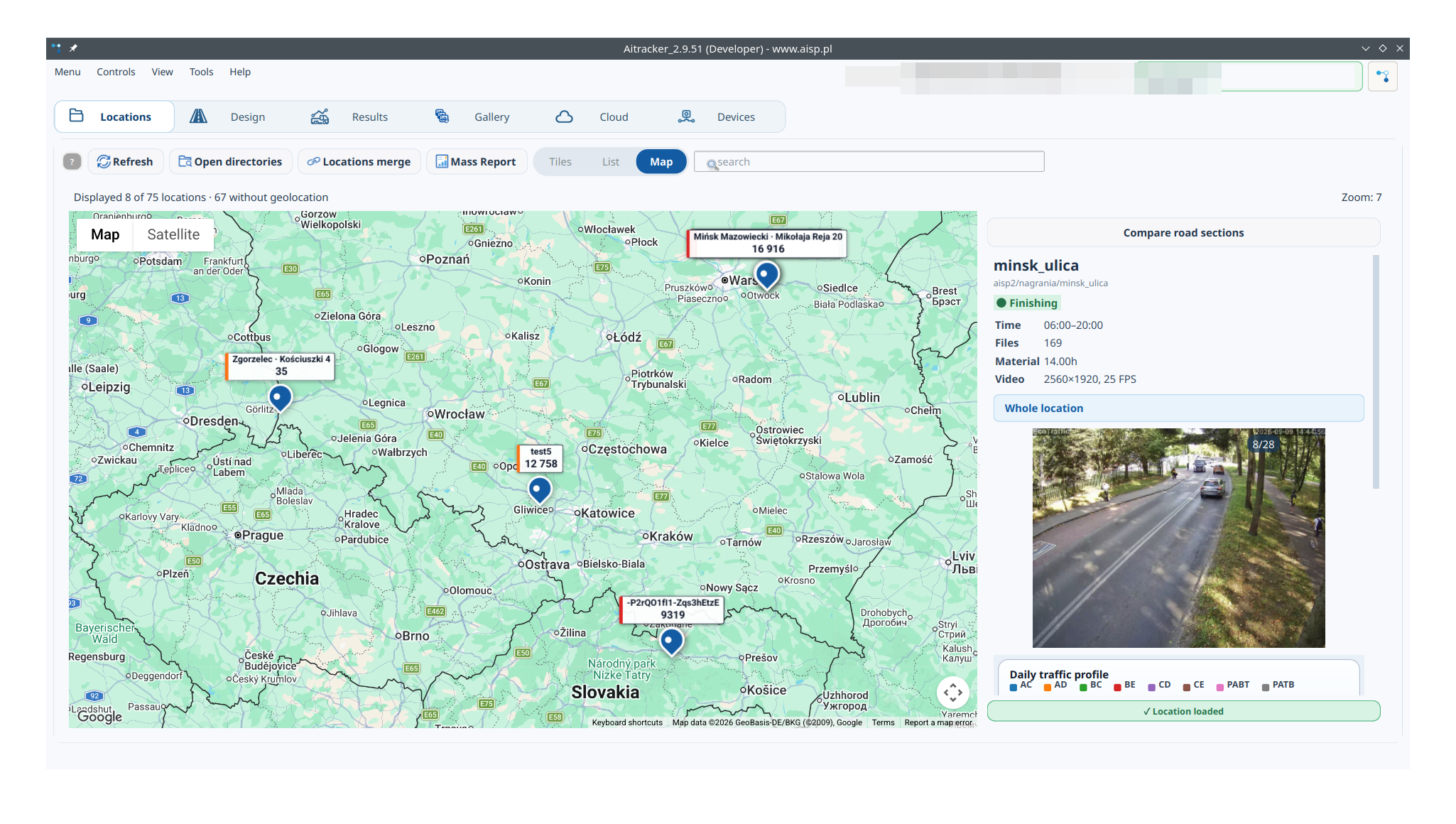
The map is the natural environment for transit analysis. Each location represents an ALPR measurement point, and AITracker compiles readings from the same array in subsequent locations. Thanks to this, you can see not only the number of vehicles, but also where they came from, where they went and how long the journey took.
Compare ALPR locations on a common map and select points that form a cordon or survey route.
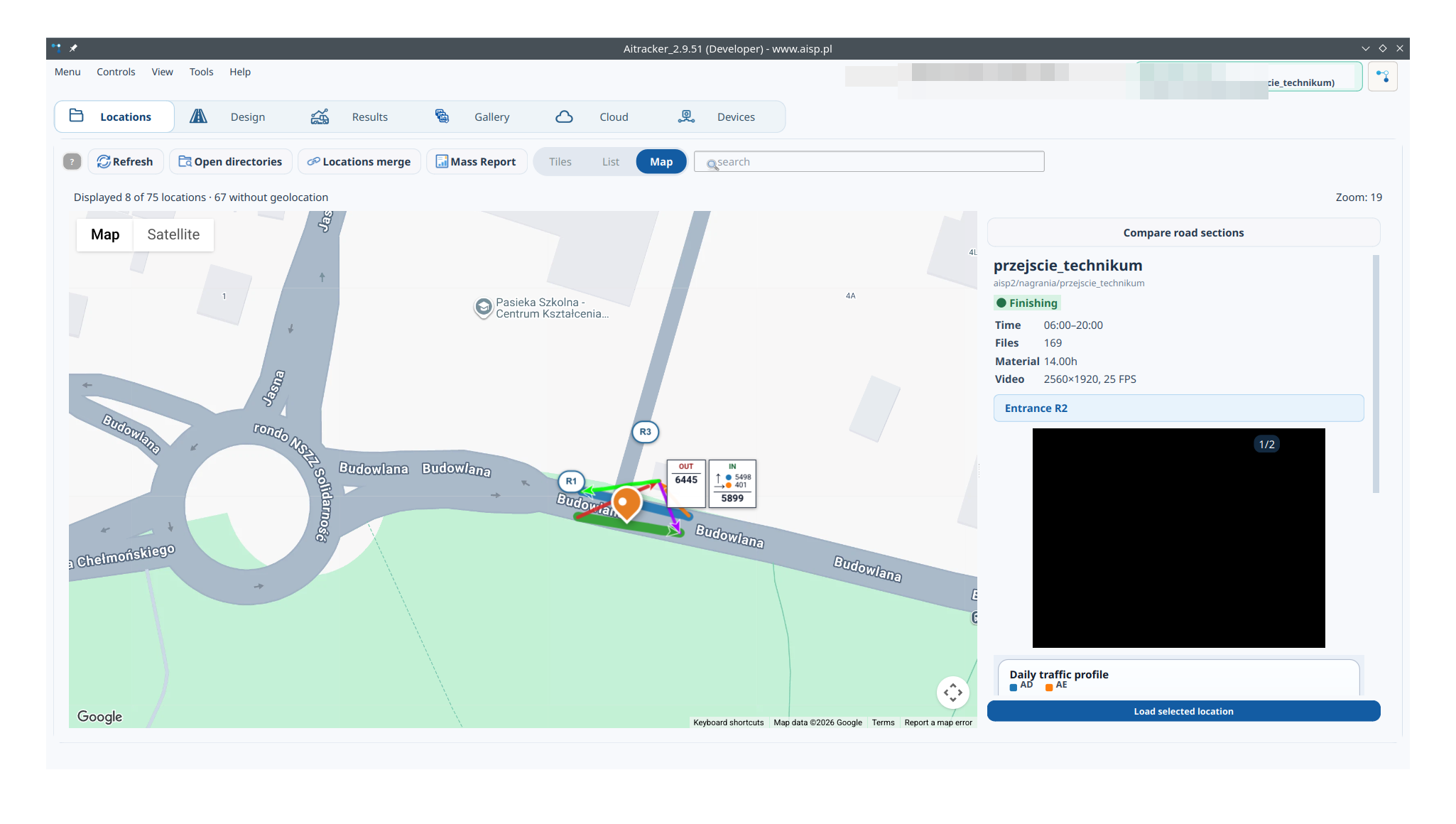
Measurement locations, inlets, relationships and vehicle counts remain site-specific.
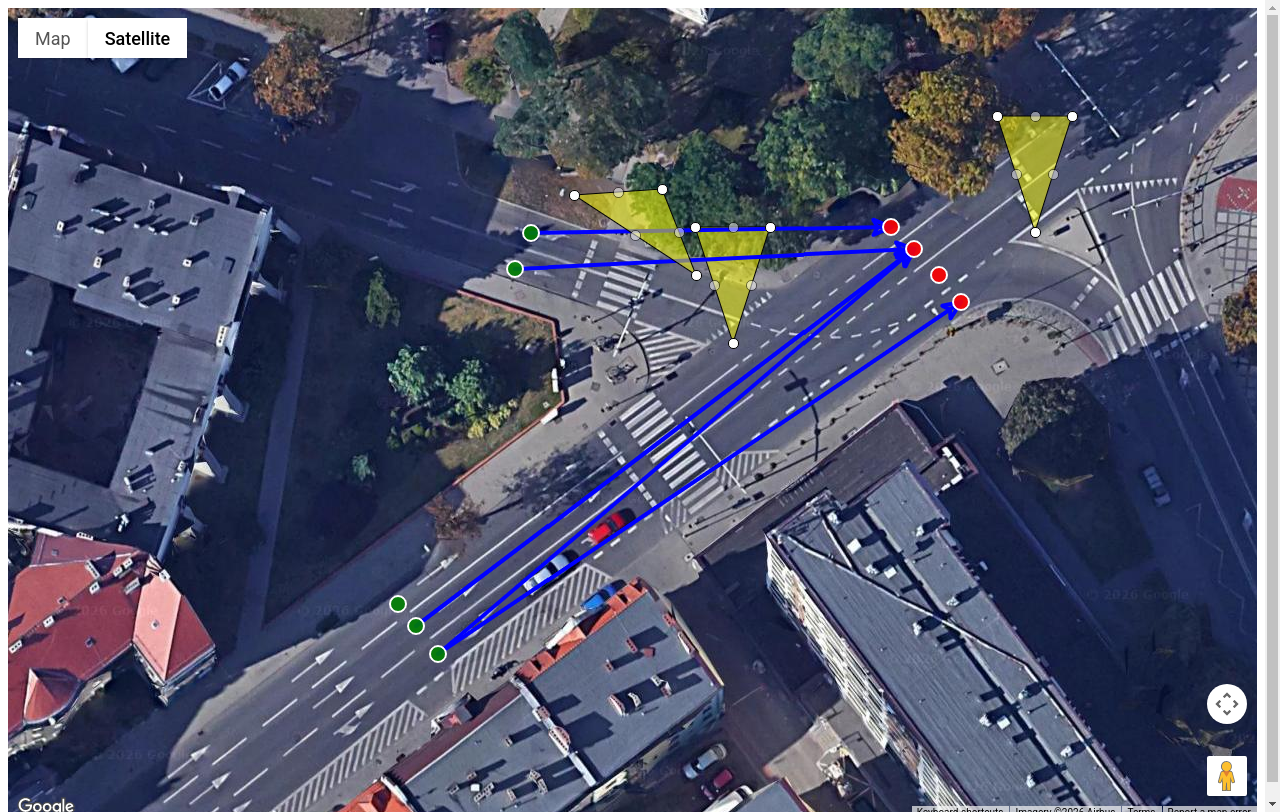
Reading the boards allows you to recreate the crossing sequence and separate transit traffic from local traffic.
The Traffic Designer compiles board readings from multiple ALPR sections and automatically builds a transit sheet. Instead of manually matching texts, you get material for traffic modeling.
“Traffic Designer” is a tool that automatically combines vehicles from a series of ALPR measurements. A transit sheet is created, ready for traffic modeling.
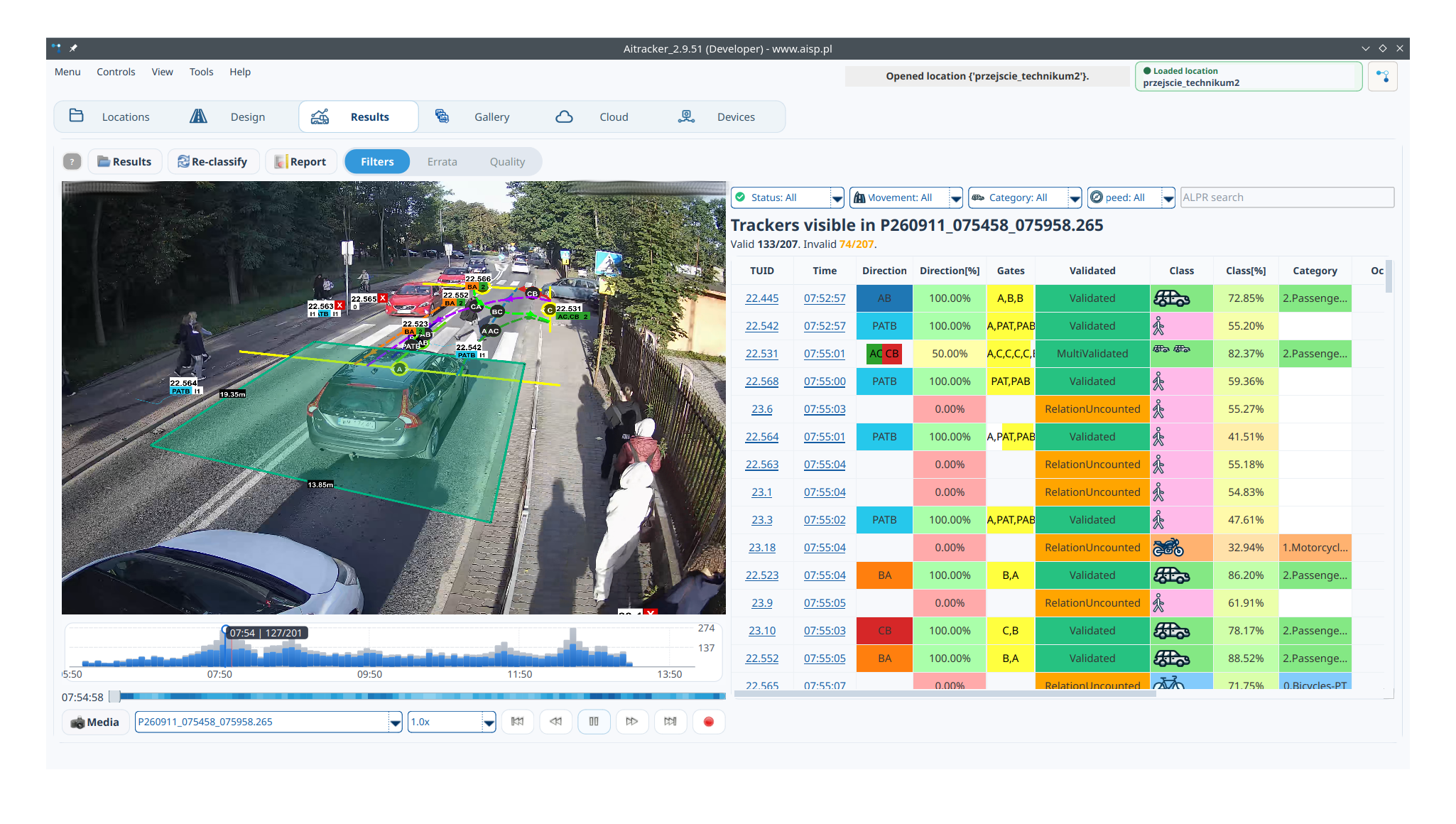
"Motion Designer" is a built-in tool in AITracker. It does not require an additional fee and is intuitive to use.
Select catalogs with ALPR measurements. In each catalog, select the type of entry/exit relationship. Leave the rest to the designer who will automatically connect all the vehicles, create a traffic model and the resulting sheet.
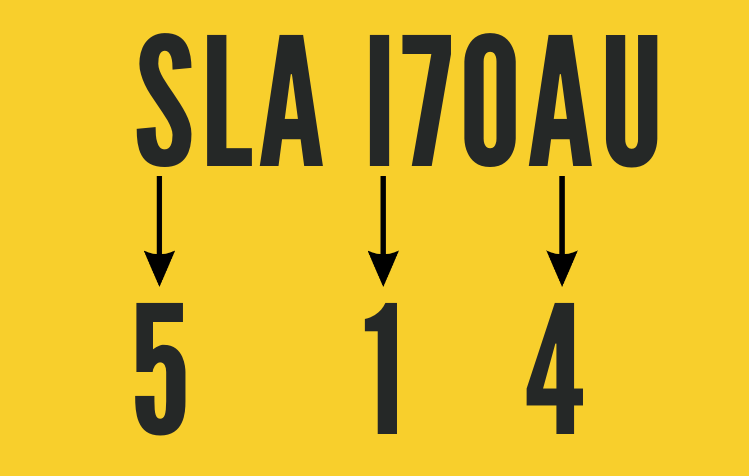
In the ALPR measurement when recognizing license plates, incorrect character substitutions occur. The most common examples are 4 from A, 5 from S or 1 from I.
The traffic designer takes these possibilities into account when combining the boards to select the optimal solution.
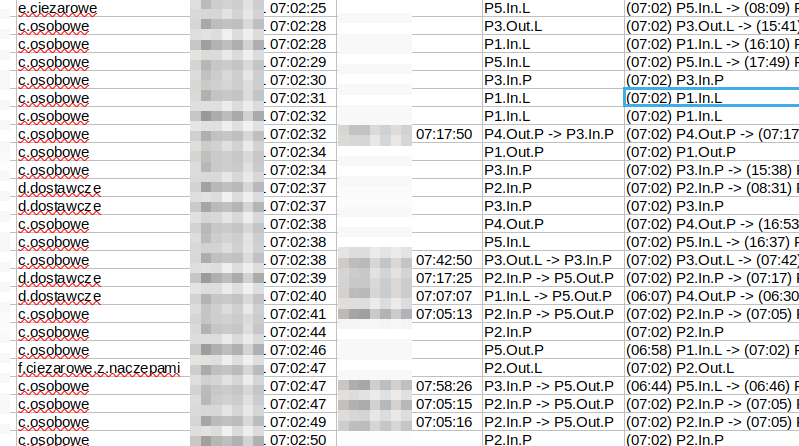
The sheet contains vehicle occurrences, read plate, category, travel times and route. The daily sequence of points facilitates transit assessment and preparation of a traffic model.
Ready results
Download full sample output reports generated by AITracker. These are measurement reports, not algorithm accuracy benchmarks.
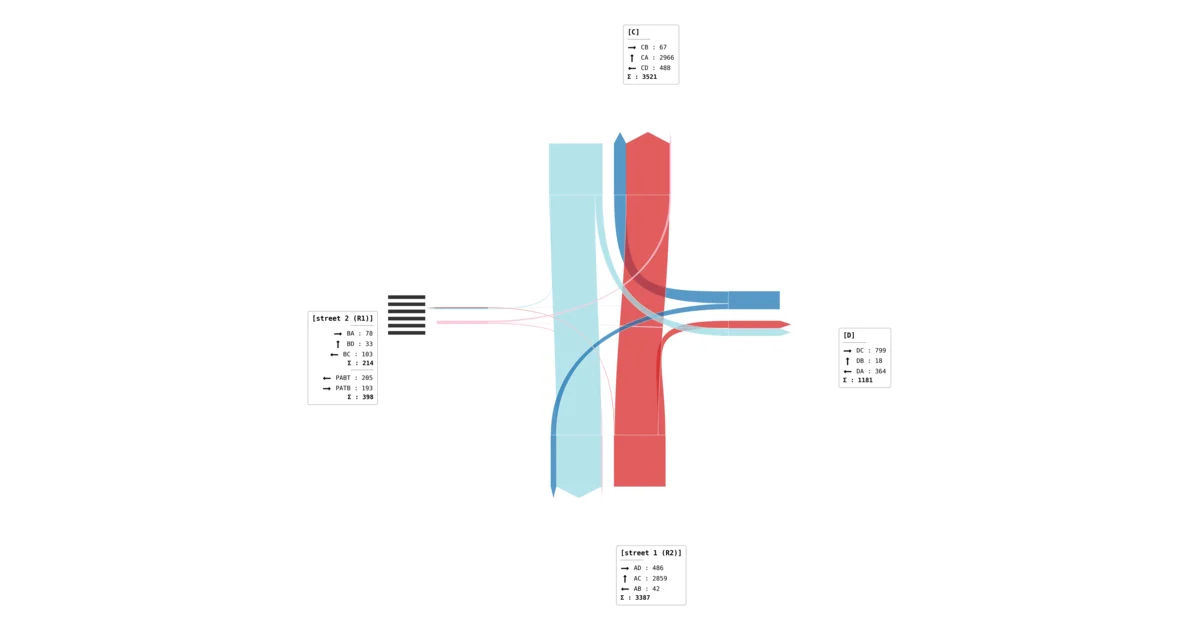
Daily profiles, generic structure, relationship tables and choropleth maps for peak hours.
Download a sample PDF report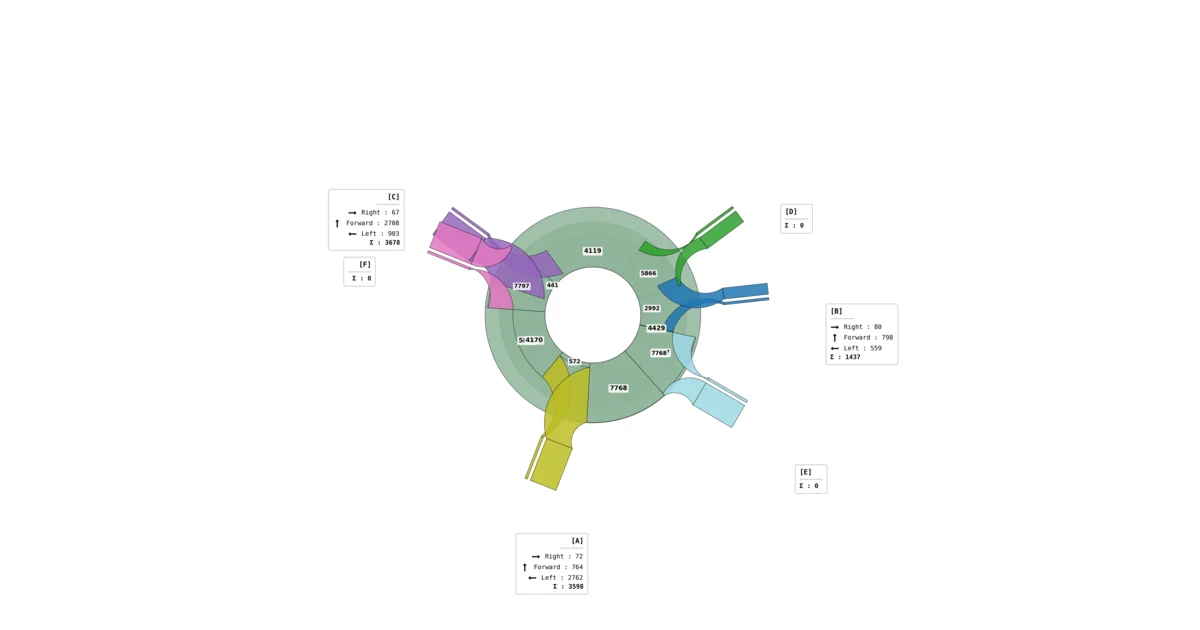
Results for inlets and relationships, category share, foot traffic and stream cartograms.
Download a sample PDF report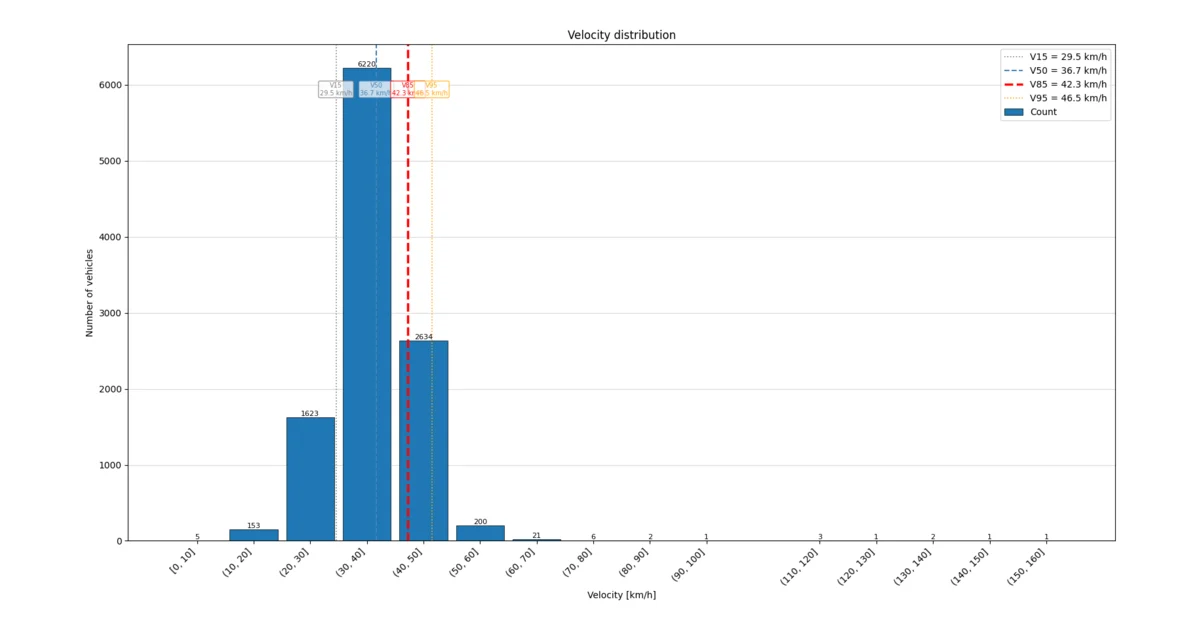
Counts, speed profiles, V15–V95 quantiles and threshold crossings.
Download a sample PDF reportDownload AITracker software that automatically recognizes vehicle categories and counts them from video recordings. A sample video demo with results built into the program will allow you to learn about the program for free.
See for yourself the quality of AITracker and test the program!
Test AITracker for free